AirPlay Mirroring
Archived article. This describes older hardware or software and is preserved for reference; it may no longer apply to current systems.
Mac OS X 10.8 Mountain Lion introduced AirPlay Mirroring, which allows your Mac’s screen to be displayed on an AirPlay destination such as an AppleTV. It also allows your Mac’s audio to be relayed to an AirPlay speaker like an AirPort Express, AppleTV, or other AirPlay wifi-enabled speaker. Rowmote can control the current mirroring destination.
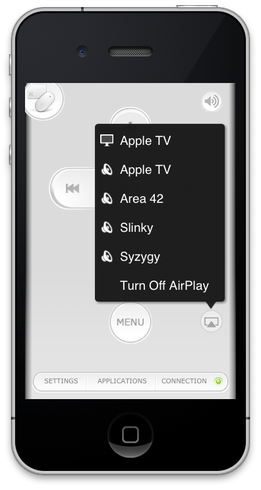
On the iPhone and iPod Touch, tap the AirPlay icon  on the main remote screen.
The button appears lighter when no AirPlay destination is active and darker when one is currently selected.
On iPad, as well as on the iPhone and iPod Touch, AirPlay control is available within the Applications menu.
-
Tap Applications
-
Select the Displays menu:

3. Select AirPlay Mirroring